Company Matrix
Overview
Open System → Company Matrix to configure company-wide document requirements by rank. The page contains Ranks, Documents, and Document Requirements tabs.
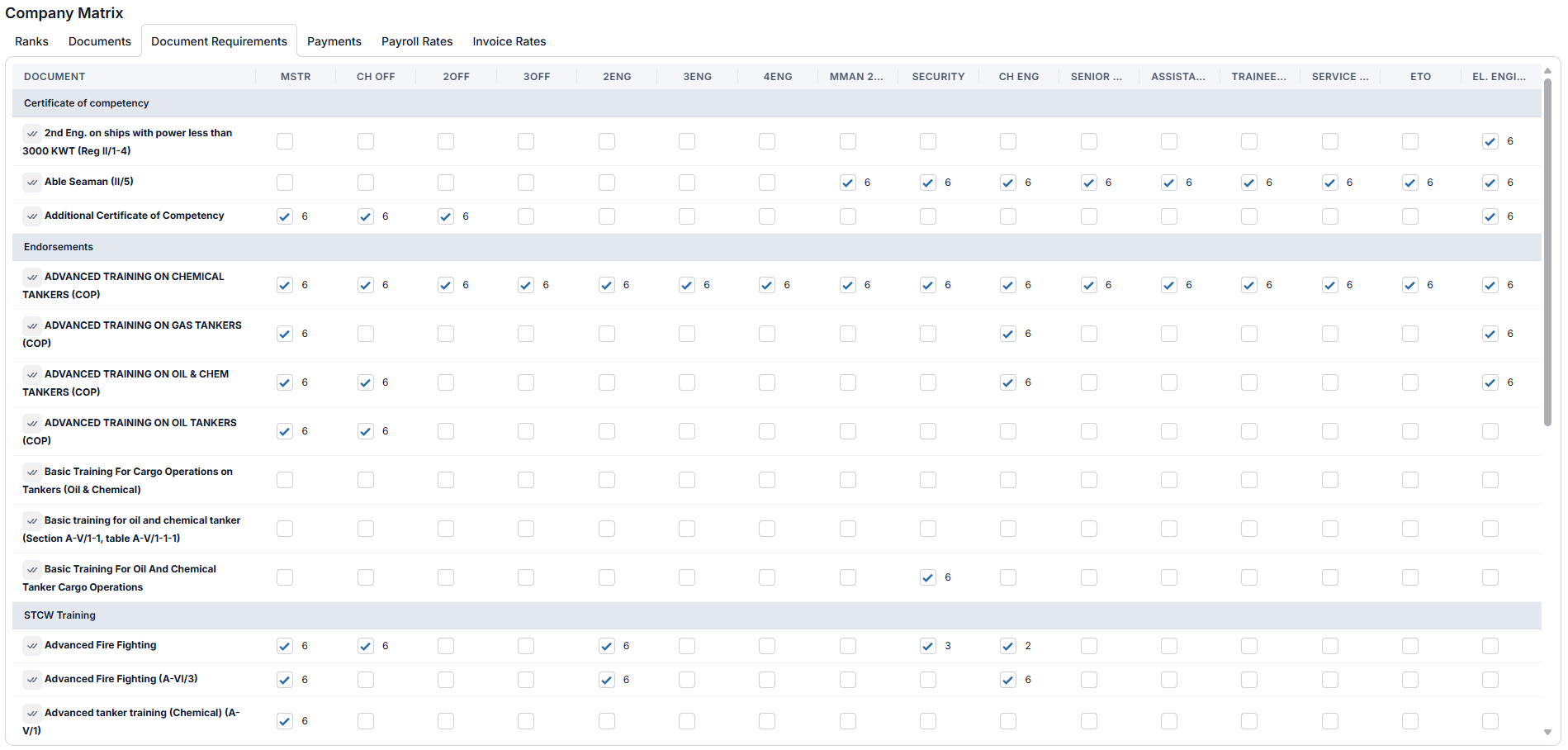
The document requirements tour explains ranks and document checks.
Payroll and invoice payments by rank are configured in Vessel Requirements Templates and on the vessel’s Requirements page. See Vessels: Payments.
Matrix Types
- Global matrix: Company-wide rules that define which documents are required for each rank.
- Vessel matrix: Documents and requirements specific to a particular vessel.
Vessel Matrix
Use the vessel matrix to declare documents that are specific and required for a given vessel. The vessel matrix overrides or supplements the global rules where necessary.
Configuration
Users can:
- Select which ranks and which documents to include in a matrix.
- Configure the intersection of a rank and a document by setting the minimum number of months the document must remain valid at the time of the seafarer's embarkation.
Select the ranks on Ranks, choose documents on Documents, and configure the required combinations on Document Requirements. A rank can remain selected even when no document requirements are configured for it. Click Save changes to save your configuration.
Review the selected ranks before saving. Removing a rank from Company Matrix also removes its document requirements when you save.
Document reminders
On the Document Requirements tab, a bell to the left of each document name controls the document reminders to seafarers. A legend above the table shows the two states: Reminders on and Reminders off.
- Click the bell of a document to turn reminders for this document on or off. The bell applies to all ranks that have this document checked.
- Click the bell of a group row, for example Certificate of competency, to switch all documents of the group. When reminders are on for only some documents of the group, the tooltip of the group bell shows Reminders on for some documents, and a click turns them on for all documents.
- When a row has no checked cells, its bell is grey and inactive, and its tooltip shows Select at least one rank to use reminders.
- The bell is on by default.
Click Save changes to save the bell settings together with the other matrix changes. The bells have an effect only when reminders are turned on in Settings → Notifications.
Seafarer Profile & Document Tracking
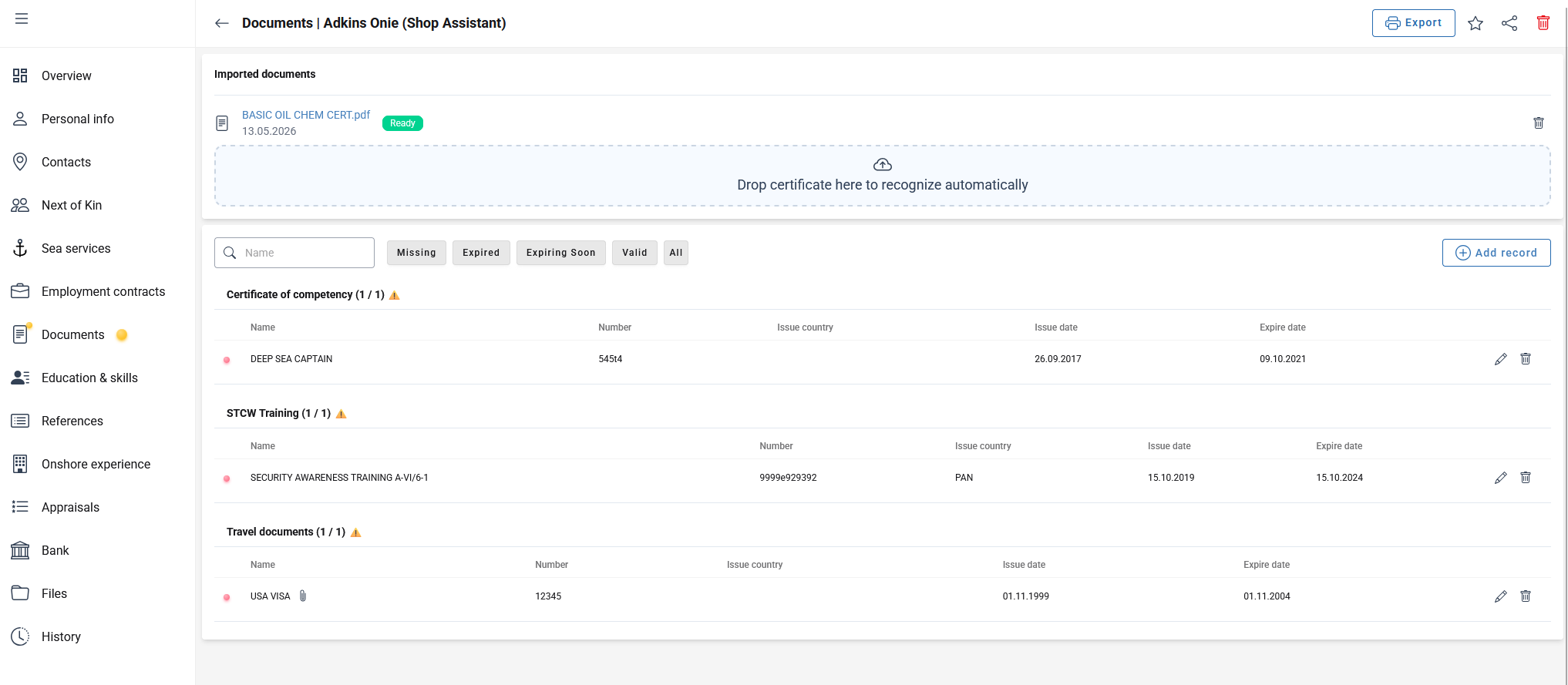
The system tracks documents in each seafarer's profile and shows:
- Documents the seafarer currently has.
- Documents that are missing.
- Documents that are expired.
When assigning (embarking) a seafarer to a vessel, the system checks both the global matrix and the vessel matrix and alerts the user if mandatory documents are missing or invalid.
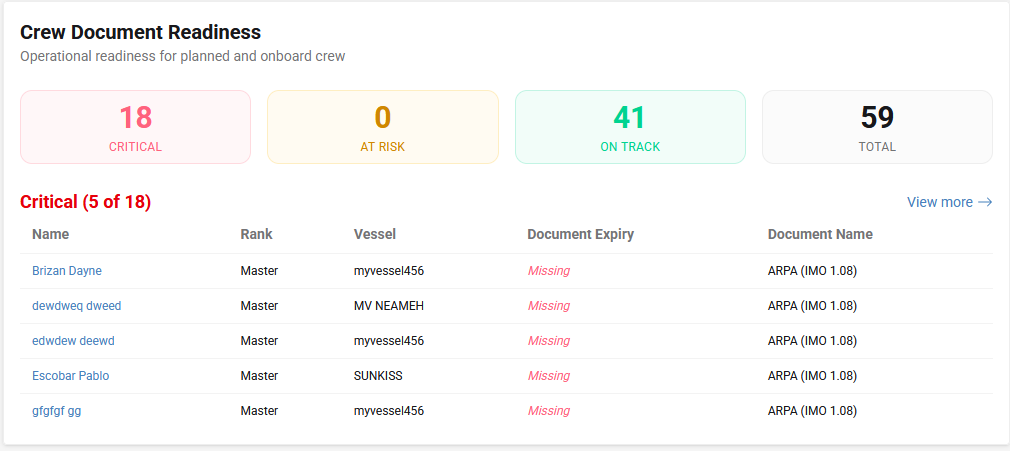
Dashboard Indicator
The dashboard contains an indicator that highlights which onboard seafarers have documents that are expiring or will soon expire, helping users prioritise renewals.
Where to configure
- To edit company-wide document requirements: go to System → Company Matrix.
- To edit a vessel-specific matrix: open the vessel card and use the Requirements section to fill the vessel matrix.
Notes
- Configure matrices proactively to ensure automated embarkation checks work correctly.
- Vessel matrices let you capture vessel-specific needs (for example, equipment or trade-specific endorsements).