Vacancies
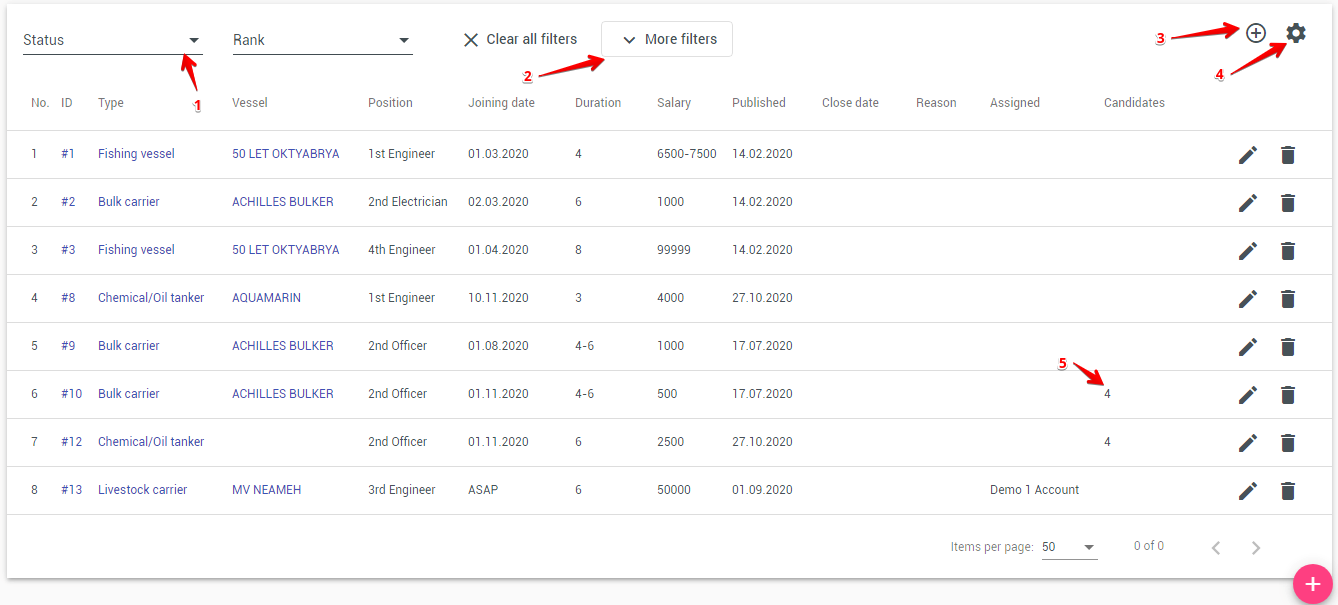
The Vacancies module allows you to manage open positions and quickly find suitable candidates from your internal seafarer database. The module consists of:
- The Vacancies List
- The Vacancy Details Page, including the Matched Candidates panel
To see how your vacancies perform over a period — statuses over time, results per manager, fill rate and time to close — use the Vacancies statistic report.
1. Vacancies List
The page contains:
- Filters for Rank, Vessel type, Vessel, and Status
- A table displaying:
- ID
- Vessel
- Vessel type
- Rank
- Joining date
- Salary
- Published
- Candidates (number of candidates linked to the vacancy)
- Create date
- Status
- Action buttons:
- Add record — create a new vacancy
- Edit — modify an existing vacancy
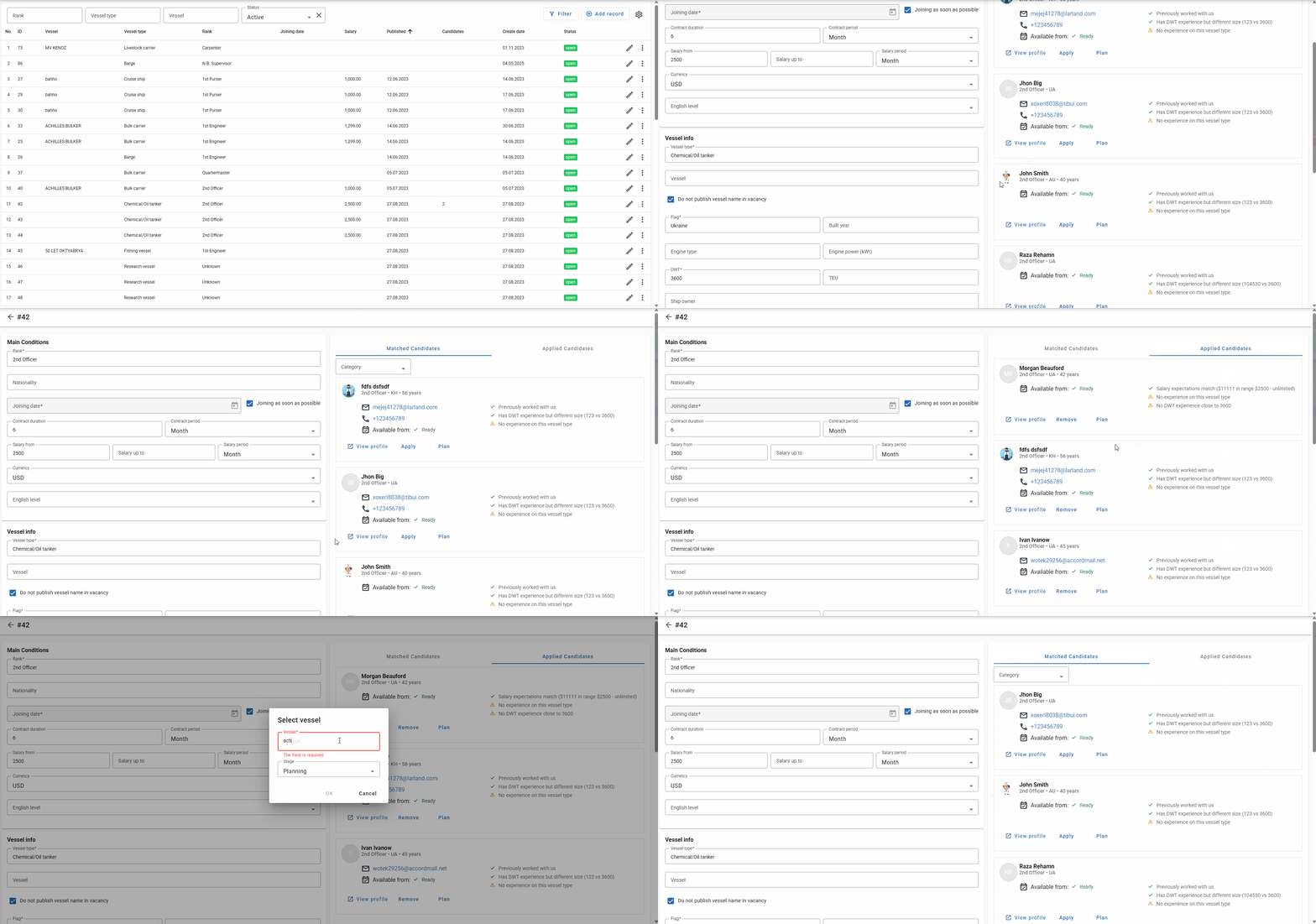
2. Vacancy Details Page
The vacancy page is divided into two sections:
- Main Conditions
- Candidate Panels (Matched Candidates / Applied Candidates)
2.1 Main Conditions
This section contains the vacancy requirements and inputs:
- Rank, Nationality
- Joining date and checkbox Joining as soon as possible
- Contract duration and Contract period
- Salary from, Salary up to, and Salary period
- Currency
- English level
- Vessel type
- Vessel
- Checkbox Do not publish vessel name in vacancy
- Engine type and DWT — when you select a vessel, the system copies these values from the vessel. Both fields are optional, and you can clear them.
If Engine type or DWT is empty, that factor gives no points to any candidate. Clear these fields for positions that do not depend on the engine room or the vessel size, for example hotel staff on cruise ships.
2.2 Matched Candidates
This panel is located on the right side of the vacancy page. It displays seafarers automatically matched to the vacancy based on the internal ranking algorithm.
For each matched candidate, the system shows:
- Name, rank, and nationality
- Contact details (email, phone)
- Availability date
- Indicators showing why the candidate matches or does not match:
- ✔ Criteria that match
- ⚠ Criteria that do not match or are missing
- Notes such as:
- Previously worked with us
- Has DWT experience but different size
- The first line of the list is always about experience on the vacancy's vessel type:
- Vessel type experience: N months — experience on this vessel type in the vacancy rank
- Vessel type experience in other rank: N months — experience on this vessel type, but only in another rank
- No experience on this vessel type (shown in red) — the seafarer has no experience on this vessel type
Each candidate card contains three actions:
View profile
Opens the full seafarer profile.
Apply
Marks the seafarer as an applicant for this vacancy. The candidate then appears in the Applied Candidates section.
Plan
Adds the seafarer to vessel planning. You can choose one of the planning stages:
- Planning
- Joining
- On Board
2.3 Applied Candidates
This section contains:
- Seafarers who applied through the external online application form
- Seafarers manually added via the Apply button
It is displayed together with the Matched Candidates panel.
2.4 Share Vacancy
You can share a vacancy via LinkedIn and Facebook using the Share buttons on the vacancy page. When a user clicks a Share button, the system opens the corresponding platform's share page (in a new tab) and automatically copies a pre-formatted vacancy text to the clipboard. The copied text includes the vacancy title, rank, vessel (unless hidden by the "Do not publish vessel name in vacancy" option), joining date, salary range, and a short link to the vacancy — the user only needs to paste the text into the platform's post composer.
Note: If the vacancy has the "Do not publish vessel name in vacancy" checkbox selected, the vessel name will be omitted from the copied text for privacy.
3. Candidate Matching Algorithm
The system automatically selects and ranks candidates for each vacancy, and clearly explains why each seafarer fits or does not fit.
3.1 Candidate Pre-Filtering
Only seafarers who meet the basic criteria are considered:
- Rank must match the vacancy rank
- Deleted or currently assigned seafarers are excluded
- Nationality must match allowed nationalities (if specified)
- Optional filters may exclude already applied or under-consideration candidates
3.2 Scoring Criteria
Each candidate receives a score of up to 100 points. Experience on the vacancy's vessel type is the main factor and gives up to 60 points. All other factors together give up to 40 points.
Vessel Type Experience (up to 60 points)
The system counts completed sea services of the last 5 years on vessels of the vacancy's vessel type.
| Experience on the vessel type | Points |
|---|---|
| In the vacancy rank, less than 12 months | 20 points plus 2.5 points for each month |
| In the vacancy rank, 12 months or more | 50 points plus 0.5 points for each month above 12, up to 60 points (reached at 32 months) |
| Only in another rank | Half of the points above, up to 30 points |
| No experience on this vessel type | 0 points |
12 months on the vessel type in the vacancy rank is sufficient experience. A seafarer with this experience always scores higher than a seafarer without experience on this vessel type.
Other Factors (up to 40 points together)
| Factor | Points |
|---|---|
| Experience in rank — when the vacancy sets a minimum experience in rank | Up to 8: no experience 0, not sufficient 3, sufficient 8 |
| Engine type experience — only when the vacancy has an engine type | Up to 8 |
| Salary expectations — the candidate's minimum expected salary is compared with the vacancy's salary range | Up to 6 |
| English level — the candidate meets or exceeds the required English level | 5 |
| Documents — the share of valid documents required for the vessel | Up to 5 |
| Readiness — the availability date is close to the joining date | Up to 3 |
| DWT similarity — only when the vacancy has a DWT value | Up to 2 |
| USA visa — when the vacancy requires it | 1 |
| Schengen visa — when the vacancy requires it | 1 |
| Worked with us — the seafarer previously worked with the company | 1 |
3.3 Match Explanation
For each candidate, the system displays:
- Matched criteria (✔)
- Missing or non-matching criteria (⚠)
- Vessel type experience as the first line of the list; missing experience is shown in red
- Document warnings (missing, expired, expiring)
- The final Score (out of 100)
3.4 Ordering
Candidates in both Matched Candidates and Applied Candidates are sorted by:
- Score (highest first)
- Document status (seafarers without document issues first)
- Previous cooperation with the company (those marked as "our seafarers")
- Name (alphabetical)
A global minimum score may be applied to hide candidates with a score below it.
4. Integration With the Company Website
Vacancies can be integrated into the company's public website. To enable this, a special HTML element can be inserted into the target page. For integration setup, please contact your system administrator.
5. Closing Vacancy
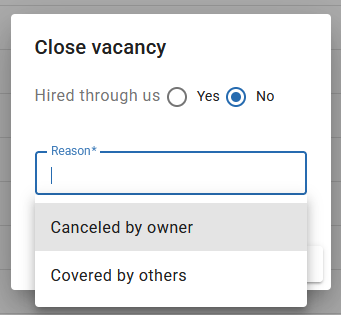
When you close a vacancy, a dialog appears with the following options:
- Hired through us — select Yes if you hired a candidate through your company, or No if the position was filled differently or remains unfilled.
If "Hired through us" is set to Yes, the Closing reason field becomes optional.
If "Hired through us" is set to No, you must type a Closing reason or select from the dropdown list. If you need to add a custom closing reason to the dropdown, please contact us.
Both answers feed the Vacancies statistic report: Hired through us splits closed vacancies into closed by us and closed by others and drives the fill rate, and the closing reason is one of the groupings available there. Consistent wording of closing reasons keeps that grouping readable.
Closing a vacancy also removes the candidates linked to it, so candidate counts in reports exist for open vacancies only.