Checklists
The Checklist feature helps crewing staff track and control mandatory preparation steps before a seafarer joins a vessel. Checklists can be assigned to individual seafarers, monitored directly from the Planning board, and updated as tasks are completed.
Creating and Editing Checklists
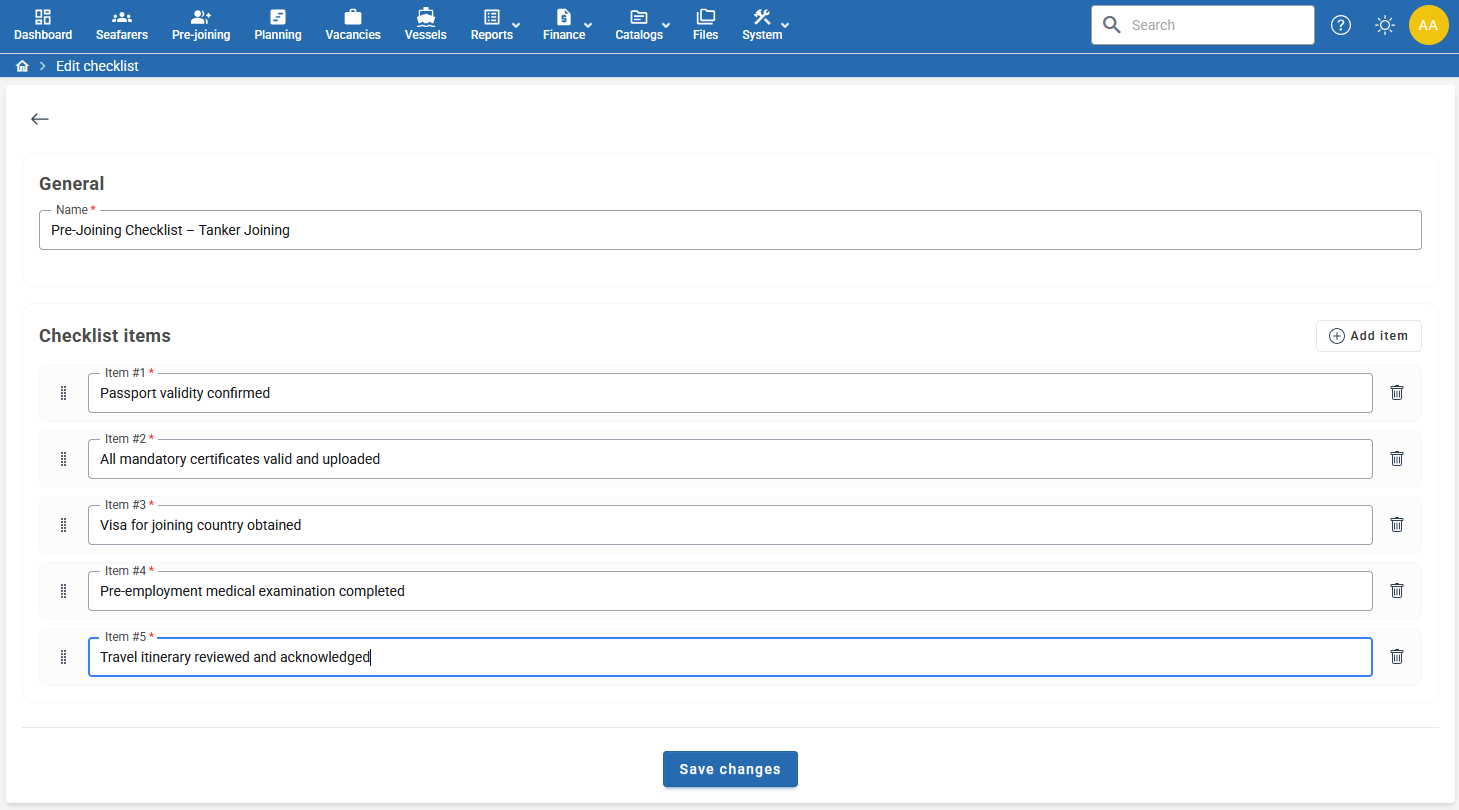
Checklist templates are created and maintained in the Checklist Catalog.
Available actions:
- Create new checklist templates.
- Rename existing checklists.
- Add, edit, or remove checklist items.
- Change the order of checklist items using drag-and-drop.
- Quickly add a new item by pressing Enter while editing an item name.
Example
The checklist below contains several pre-joining requirements that must be completed before embarkation.
Notes
- Checklist item order can be rearranged at any time.
- Changes made to a checklist template will be available for future assignments.
- Checklist names and item descriptions can be customized according to company procedures.
Automatic assignment from a vessel
Set a default under Vessel → Requirements → Checklist. You can select it directly with Assign checklist or Change checklist, or apply a Vessel Requirements Template that includes a checklist. See Vessel default checklist.
The default is assigned when a new operational planning or sign-on record is created for that vessel, including bulk operations. Each new record has its own checklist progress.
Changing or removing the vessel default does not replace existing checklists or reset completed items. It also does not add a checklist retrospectively to existing plans. You can still assign a checklist manually where needed.
Assigning a Checklist to a Seafarer
A checklist can be assigned directly from the Planning board.
Steps
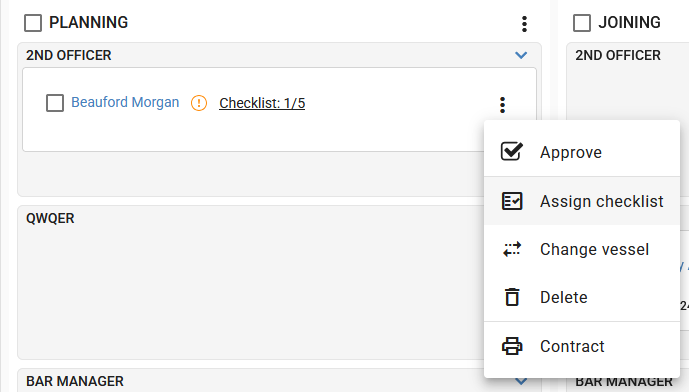
- Open the seafarer's context menu (three-dot menu).
- Select Assign checklist.
- Choose the required checklist template.
- Save the assignment.
Once assigned, the checklist becomes linked to the selected seafarer.
Progress Indicator
The seafarer card displays checklist progress in the format:
Checklist: X/Y
Where:
- X = completed checklist items.
- Y = total checklist items.
Example:
Checklist: 1/5 means that 1 out of 5 required actions has been completed.
Updating Checklist Progress
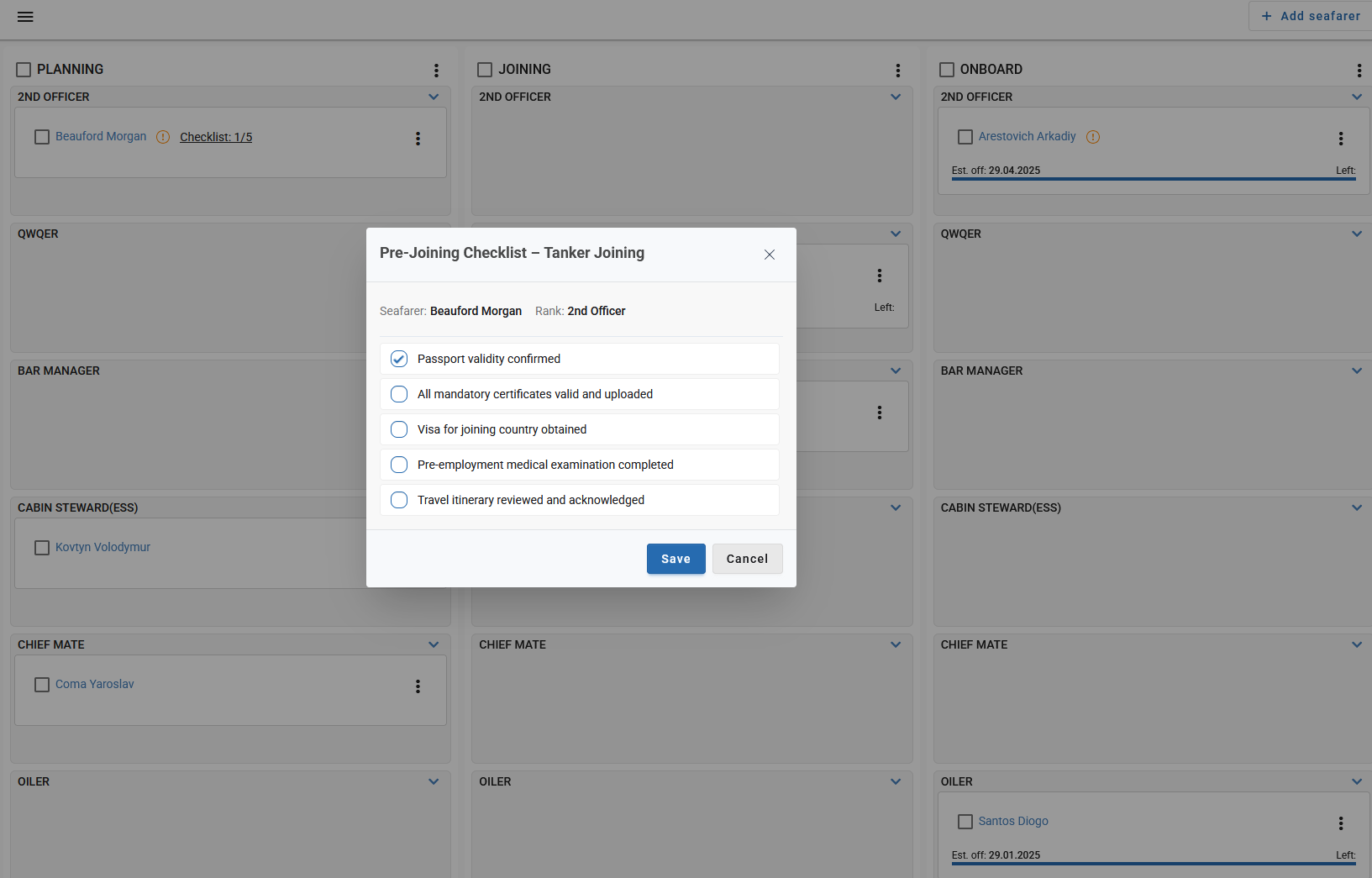
Assigned checklists can be opened directly from the Planning board.
Steps
- Click the checklist progress link displayed on the seafarer card.
- Review the checklist items.
- Mark completed items.
- Click Save.
Each item can be independently marked as completed or not completed.
Monitoring Completion Status
Checklist progress is visible directly on the Planning board without opening the checklist.
This allows coordinators and crewing managers to:
- Quickly identify seafarers who are not ready for joining.
- Track outstanding pre-joining actions.
- Monitor preparation status across multiple positions and vessels.
- Ensure all required steps are completed before approval and embarkation.
Status Examples
| Status | Meaning |
|---|---|
| Checklist: 0/5 | No checklist items completed |
| Checklist: 3/5 | Checklist partially completed |
| Checklist: ✅ | All checklist items completed |
Typical Use Cases
Checklists can be used for:
- Pre-joining verification.
- Document collection and validation.
- Visa processing.
- Medical examination tracking.
- Travel preparation.
- Internal company procedures.
- Vessel-specific joining requirements.
Using checklists helps standardize preparation processes and reduces the risk of missing critical joining requirements.