Certificate Matrix
Overview
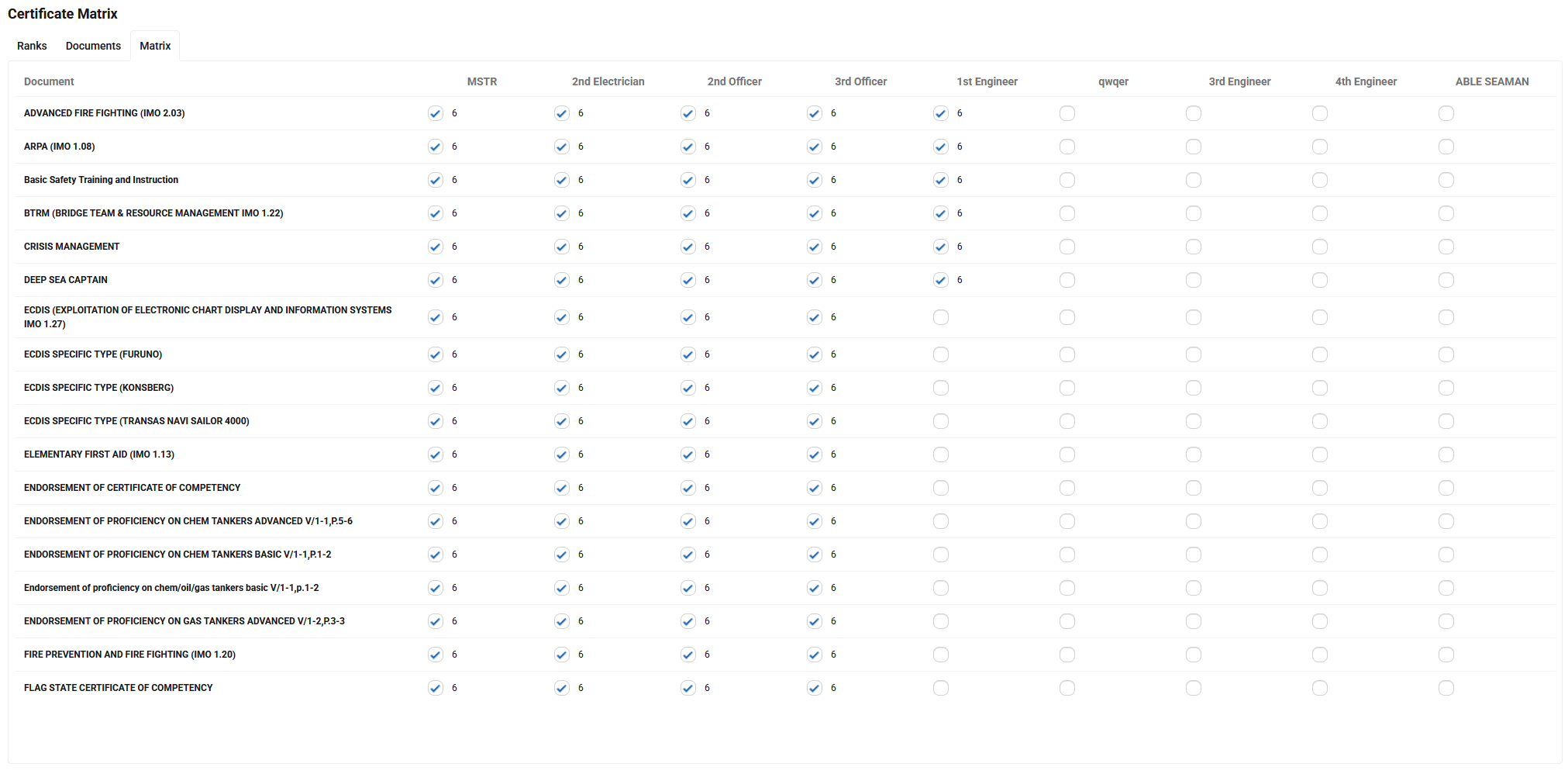
The Certificate Matrix helps manage mandatory certificates and documents for crew members. There are two matrix types in the system: a global (company-wide) matrix and a vessel-specific matrix.
Matrix Types
- Global matrix: Company-wide rules that define which documents are required for each rank.
- Vessel matrix: Documents and requirements specific to a particular vessel.
Vessel Matrix
Use the vessel matrix to declare documents that are specific and required for a given vessel. The vessel matrix overrides or supplements the global rules where necessary.
Configuration
Users can:
- Select which ranks and which documents to include in a matrix.
- Configure the intersection of a rank and a document by setting the minimum number of months the document must remain valid at the time of the seafarer's embarkation.
Seafarer Profile & Document Tracking
The system tracks documents in each seafarer's profile and shows:
- Documents the seafarer currently has.
- Documents that are missing.
- Documents that are expired.
When assigning (embarking) a seafarer to a vessel, the system checks both the global matrix and the vessel matrix and alerts the user if mandatory documents are missing or invalid.

Dashboard Indicator
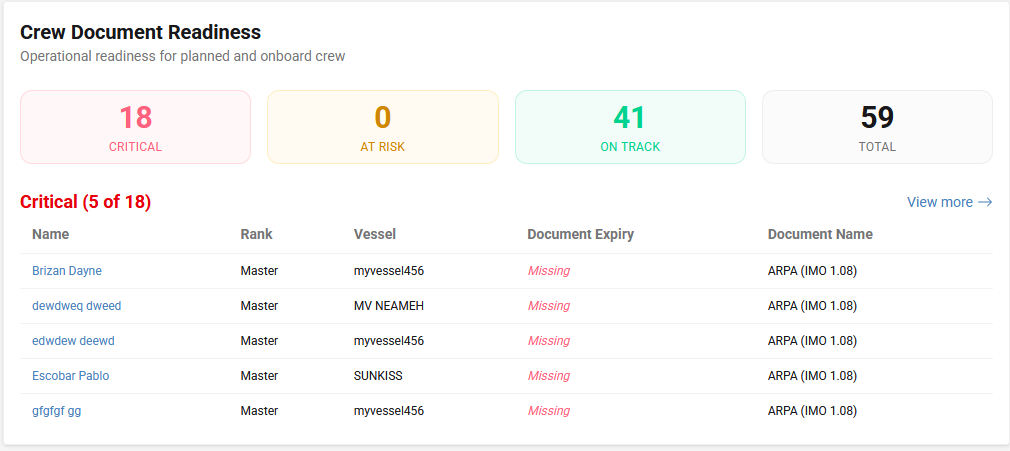
The dashboard contains an indicator that highlights which onboard seafarers have documents that are expiring or will soon expire, helping users prioritise renewals.
Where to configure
- To edit the global (company) matrix: go to
systems -> certificate matrix. - To edit a vessel-specific matrix: open the vessel card and use the
requirementssection to fill the vessel matrix.
Notes
- Configure matrices proactively to ensure automated embarkation checks work correctly.
- Vessel matrices let you capture vessel-specific needs (for example, equipment or trade-specific endorsements).
