Documents expiration e-mail notifications
Overview
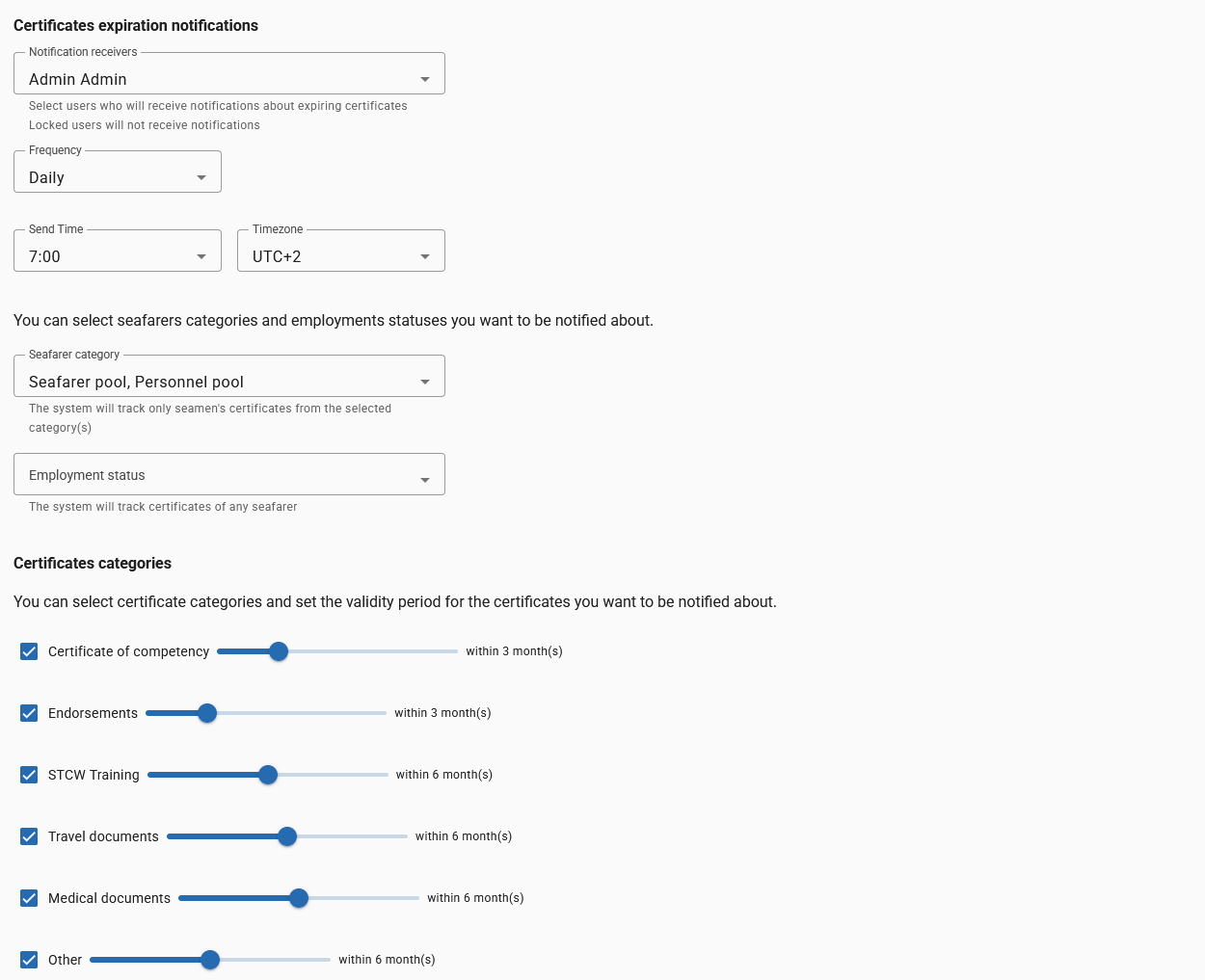
Use this page to configure automated e-mail notifications about seafarers' documents and certificates that are nearing expiration. Notifications help ensure crew documents remain valid and reduce non-compliance risk.
Enabling notifications
- Notification receivers: Choose one or more users who will receive the expiration emails. Locked users do not receive notifications.
- Frequency: Select how often notifications are sent (e.g., Weekdays, Weekly).
- Send Time & Timezone: Choose the local time and timezone for when the system sends the notifications.
If you select the "Weekdays" frequency option, notifications are sent only on Monday through Friday; no notifications will be sent on Saturday or Sunday.
Who is tracked
- Seafarer category: Select one or more pools (e.g., Seafarer pool, Personnel pool). The system will only track certificates for seafarers in the selected categories.
- Employment status: Optionally filter by employment status to limit tracked seafarers.
Certificates categories and thresholds
You can enable specific certificate categories and set how far in advance to be notified. Each category has a toggle (enable/disable) and a timeframe slider expressed in months (e.g., within 3 months).
Common categories shown in the UI:
- Certificate of competency — set reminder period (example: within 3 months).
- Endorsements — set reminder period (example: within 3 months).
- STCW Training — set reminder period (example: within 6 months).
- Travel documents — set reminder period (example: within 6 months).
- Medical documents — set reminder period (example: within 6 months).
- Other — set reminder period as needed.
Only enabled categories will be included in the notification checks.
Example notification behavior
- If
Certificate of competencyis enabled with "within 3 months", the system will include any certificate expiring in 90 days or less in the next scheduled email. - Daily notifications will send a daily summary at the chosen
Send TimeandTimezone.
Email content and limits
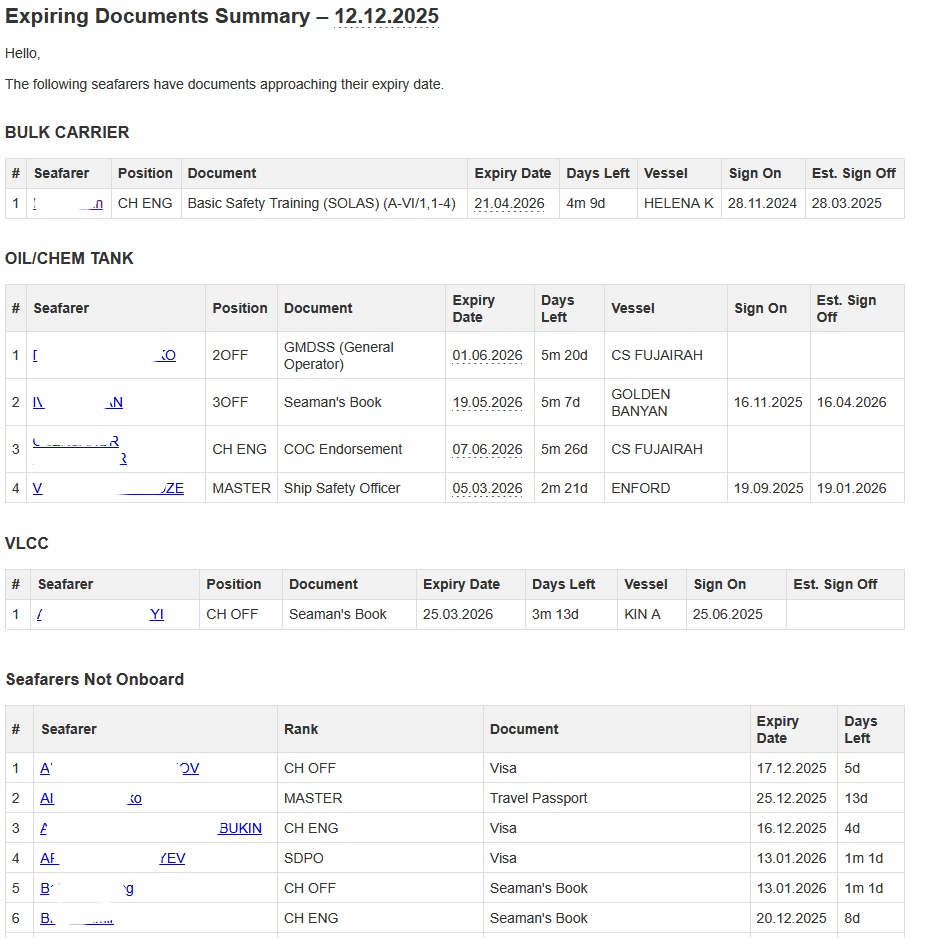
- The notification e-mail contains a grouped summary of expiring documents (grouped by vessel type) with a table of records.
- The system includes only the first 50 records in each notification e-mail to keep messages concise. If more records exist, review the application UI for the full list.
- Records are prioritized so that seafarers who are currently onboard appear first. There is typically a separate section (e.g., "Seafarers Not Onboard") for those not currently onboard.
Best practices
- Review and enable only the categories you need to reduce noise.
- Set sensible timeframes (e.g., 3–6 months) so users have enough time to renew documents.
- Ensure the selected notification receivers are active (not locked).
Troubleshooting
- If emails are not received, verify the receiver's account is active and that the correct timezone and send time are set.
- If a seafarer's document isn't appearing, confirm the seafarer is in a selected category and the certificate type is enabled.
- If recipients do not receive emails, also verify the recipient's e-mail address is correct in their user profile.
