Files

This module is used as a single centralized storage for company files.
Restricting User Access to Folders
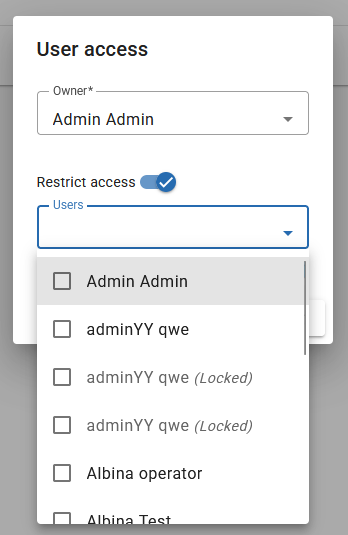
To restrict user access to a folder, follow these steps:
-
From the context menu, select the "User Access" option. If this option is not available, ensure that your user role has the "Folder user access: Allows the user to manage folder access permissions" permission enabled.
-
In the dialog window that appears, you can:
- Set the folder owner
- Select users who will have access to the current folder
Note
The folder owner always has access to their folder.
Viewing and Editing Files
Some files can be viewed or edited directly without downloading them. To open a file, click on its name.
Supported File Types
- Excel (xlsx) and Word documents (docx) - can be edited online
- PDF documents - can be viewed online
